In this guide
- How a video door phone works
- Wired or app-based?
- Features worth checking
- Installation in an existing flat
- Think about weather and power
- In societies and apartment buildings
- Video door phone or smart doorbell?
- New homes and existing flats
- Common problems and simple fixes
- A short buying checklist
- Questions to ask the installer
In busy cities like Mumbai, Thane and Navi Mumbai, many people prefer to see who is at the door before opening it. A video door phone lets you do that from inside your flat. This guide explains how it works and what to check before you buy.
How a video door phone works
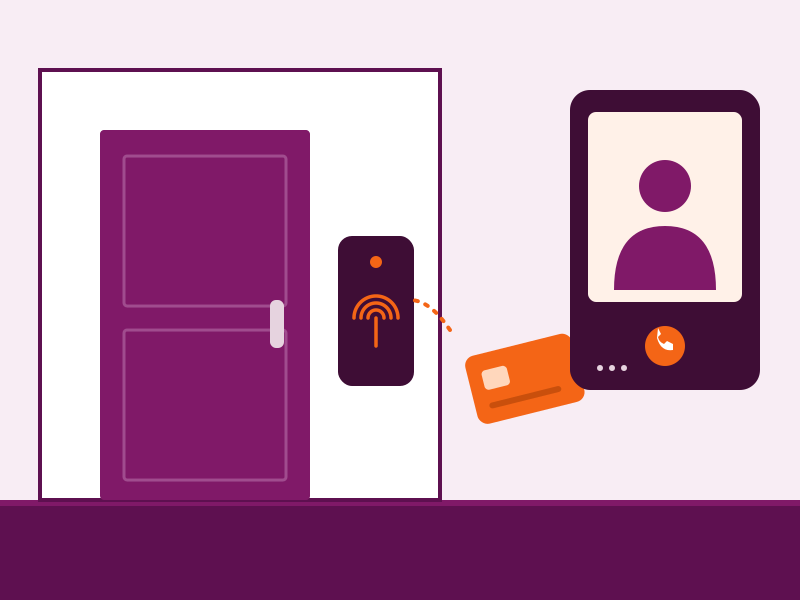
There are two main parts. An outdoor unit with a camera, microphone and call button sits at your door. An indoor monitor inside the flat shows the visitor and lets you talk to them. Many systems can also release an electric lock, so you can let a visitor in without opening the door yourself.
Wired or app-based?
- Wired systems use a cable between the door unit and the monitor. They are reliable and do not depend on the internet.
- App-based (IP) systems send calls to your phone and can work when you are away from home, but they need a stable internet connection.
Some systems combine both, with an indoor monitor and phone alerts.
Features worth checking
- Picture quality and night vision. Corridors can be dark.
- Wide viewing angle, so you can see the whole doorway.
- Screen size and ease of use. Consider who in the family will use it.
- Lock release, if you want to open the door from the monitor.
- Recording or snapshots, to see who came while you were out.
- More than one monitor, for larger homes.
- Intercom between units, if you want to call another room or the security desk.
Installation in an existing flat
The main challenge is running a cable neatly from the door to the monitor. Installers use existing conduits where possible, or neat surface channels. Check these things at the site visit:
- Where the door unit and monitor will be placed.
- How the cable will run, and whether any walls will need work.
- Whether your existing lock can be released electrically.
- Where the power supply will sit.
Think about weather and power
In open corridors and near windows, the outdoor unit may see rain or humidity, so choose a unit rated for it. Ask how the system behaves during a power cut and whether a backup supply is available. See our monsoon checklist for more.
In societies and apartment buildings
Some buildings use a building-wide intercom that links every flat to a security desk. Others use individual door phones for each flat. If your society is deciding on a system, it helps to plan it alongside CCTV and entrance gate automation.
Video door phone or smart doorbell?
A smart video doorbell sends a call to your phone over Wi-Fi and is often easy to fit, but it depends on your internet and power. A traditional video door phone with an indoor monitor is wired, works without a phone and is usually more reliable for family use. Some systems offer both. Think about who will answer the door: if elderly family members are at home, a monitor on the wall is often easier.
New homes and existing flats
In a new or renovated flat, cables can be hidden in the walls before painting, which gives the neatest finish. In an existing flat, the installer may use existing conduits or run a slim channel along the wall. Either way, the work should be tidy and tested before the installer leaves.
Common problems and simple fixes
- The picture is too dark at night. Check the camera’s night vision and the lighting near the door.
- Sound is faint or echoing. Adjust the volume and check that nothing blocks the microphone.
- The door does not release. Check the lock, its power supply and the wiring to the unit.
- No picture after a power cut. Check the power supply and any backup.
A short buying checklist
- Decide on wired, app-based or both.
- Decide whether you need lock release, and check what lock you have.
- Check the viewing angle and night vision.
- Ask about warranty, support and what happens in a power cut.
- Ask for a written quote listing every item.
Questions to ask the installer
- Is it wired or app-based, and what does that mean for my home?
- Will it work with my existing lock?
- What happens in a power cut?
- What warranty and support do I get?
Ready to add a video door phone to your flat or office? Book a site visit or read about our video door phones and access control.
Frequently asked questions
Can a video door phone be installed in an existing flat?
Usually yes. The installer needs a route for the cable between the door unit and the indoor monitor, which may use existing conduits or surface wiring. A site visit shows what is possible.
Will a video door phone work during a power cut?
That depends on the model and the power supply. Ask the installer how the system behaves in a cut, and whether a backup supply can be added.
Can a video door phone open the door lock?
Yes, many systems can release an electric lock from the indoor monitor. The lock must be compatible, so mention it when you ask for a quote.
Is a video door phone suitable for a rented flat?
Often yes, if the landlord agrees. Choose a system that can be removed neatly when you leave, such as a surface-mounted one.