In this guide
A good CCTV system starts with a plan, not with a box of cameras. This guide explains how to plan CCTV camera installation for a home, shop or small office in Mumbai, Navi Mumbai or Thane, so that the cameras cover what matters and the footage is actually useful.
Start with your goal
Decide what you want from the cameras. Is it to deter break-ins, to watch deliveries, to keep an eye on staff and customers, or to check on children and elderly family members? The goal decides where cameras go and what quality you need.
Where to place cameras
- Main entrance and exit. Cover the door and the face of anyone arriving.
- Back doors, windows and terrace access. These are common entry points.
- Parking and driveway. Useful for vehicles and for movement near the gate.
- Staircases and corridors leading to your door.
- Cash counter and storeroom in a shop or office.
Mount outdoor cameras high enough to be hard to reach, usually around 2.5 to 3 metres, but not so high that faces are lost. Do not point cameras into a neighbour’s home or private space.
Choosing camera quality
Higher resolution gives clearer detail, which helps when you need to recognise a face or read a number plate, but it also needs more storage. Think about the distance. A camera watching a small doorway needs less than one covering a wide driveway. Choose cameras with night vision for areas that are dark after sunset.
The recorder and storage
The recorder stores your footage. IP camera systems use an NVR and are generally preferred for new installations, while older analog-style systems use a DVR. Storage size decides how many days of footage you can keep. Ask for a simple calculation based on your number of cameras and the days you want to retain.
Keep the recorder in a safe, dry, ventilated place, and use a UPS so it keeps recording during short power cuts.
Viewing footage on your phone
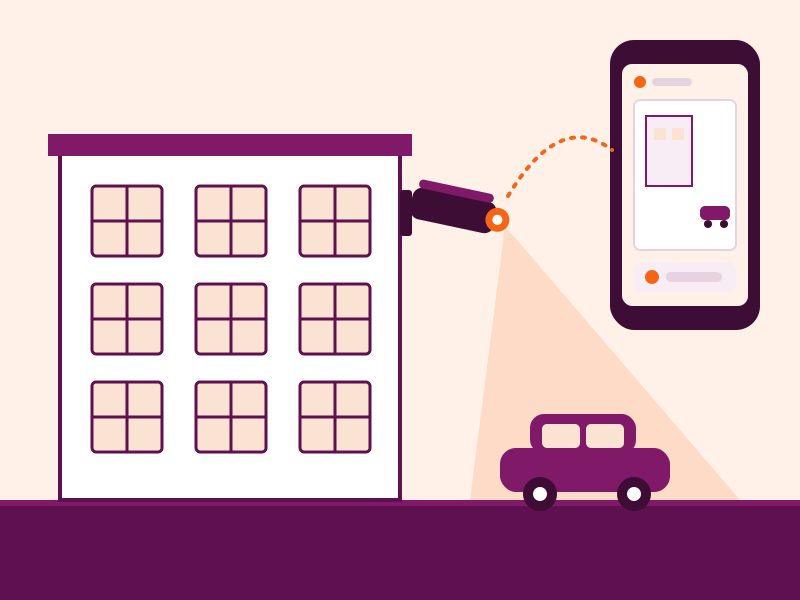
When the recorder is connected to the internet, you can watch live video and play back recordings from your phone. Two safety tips: change the default password on day one, and avoid sharing the login widely.
Things that matter in Mumbai conditions
- Humidity and rain. Choose outdoor cameras with a good weatherproof rating, and make sure cable joints are sealed.
- Salt air near the coast and creeks can corrode metal fittings over time.
- Power cuts and surges. A UPS and surge protection help protect the recorder.
- Society rules. In flats, check what is allowed in corridors and common areas.
We also cover this in our monsoon checklist for CCTV, gates and solar.
Types of camera
- Bullet cameras are long and visible, which deters intruders, and suit entrances and boundaries.
- Dome cameras are compact and harder to tamper with, and suit corridors, shops and indoor areas.
- PTZ cameras can pan, tilt and zoom, and suit larger open areas where an operator needs to follow movement.
Cabling and Power over Ethernet
Many IP cameras use a single network cable for both video and power, called Power over Ethernet (PoE). This keeps cabling tidy and reduces the number of power points you need. Ask your installer whether PoE suits your building and cable routes.
Keep your system secure
- Change the default username and password on the recorder and cameras.
- Use a strong password and do not share it widely.
- Keep the recorder’s software updated, and ask your installer how updates are handled.
- Keep the recorder where not everyone can reach it.
Common mistakes to avoid
- Pointing a camera straight at a bright window or light, which turns the rest of the picture dark.
- Mounting cameras too high, so faces are seen only from above.
- Too little storage, so recordings are overwritten quickly.
- No backup power for the recorder and router.
- Never checking the recordings until something happens.
Maintenance
Clean the lenses from time to time, check that every camera is recording, test phone viewing after any internet change and keep an eye on the health of the hard disk. A short check every few months can prevent a nasty surprise.
Before you buy: a short checklist
- Walk your property and list every entrance and blind spot.
- Decide how many days of footage you want to keep.
- Ask for a camera position plan and a written quote that lists the equipment.
- Ask who will set up phone viewing and teach you to use it.
- Ask about service and support after installation.
Running a housing society? Read our CCTV checklist for societies. To plan cameras for your own place, book a site visit or see our CCTV camera installation service in Mumbai.
Frequently asked questions
How many CCTV cameras do I need for my home?
It depends on your layout. A small home often needs cameras at the main door, the back or terrace door and any outdoor parking or passage. Walk around your property and list every entrance and blind spot to get the number.
How long are CCTV recordings kept?
It depends on the number of cameras, the video quality and the size of the hard disk. Tell your installer how many days you want to keep, and ask them to size the storage accordingly.
Can I watch my cameras on my phone?
Yes, if the recorder is connected to the internet. Always change the default password and keep the recorder's software up to date.
How much does CCTV installation cost?
The cost depends on the number of cameras, their quality, the recorder and storage, and the cabling. Ask for a written quote that lists every item so you can compare.